
telescope
Benchmark : James Webb Space Telescope
Optimization and spot diagram
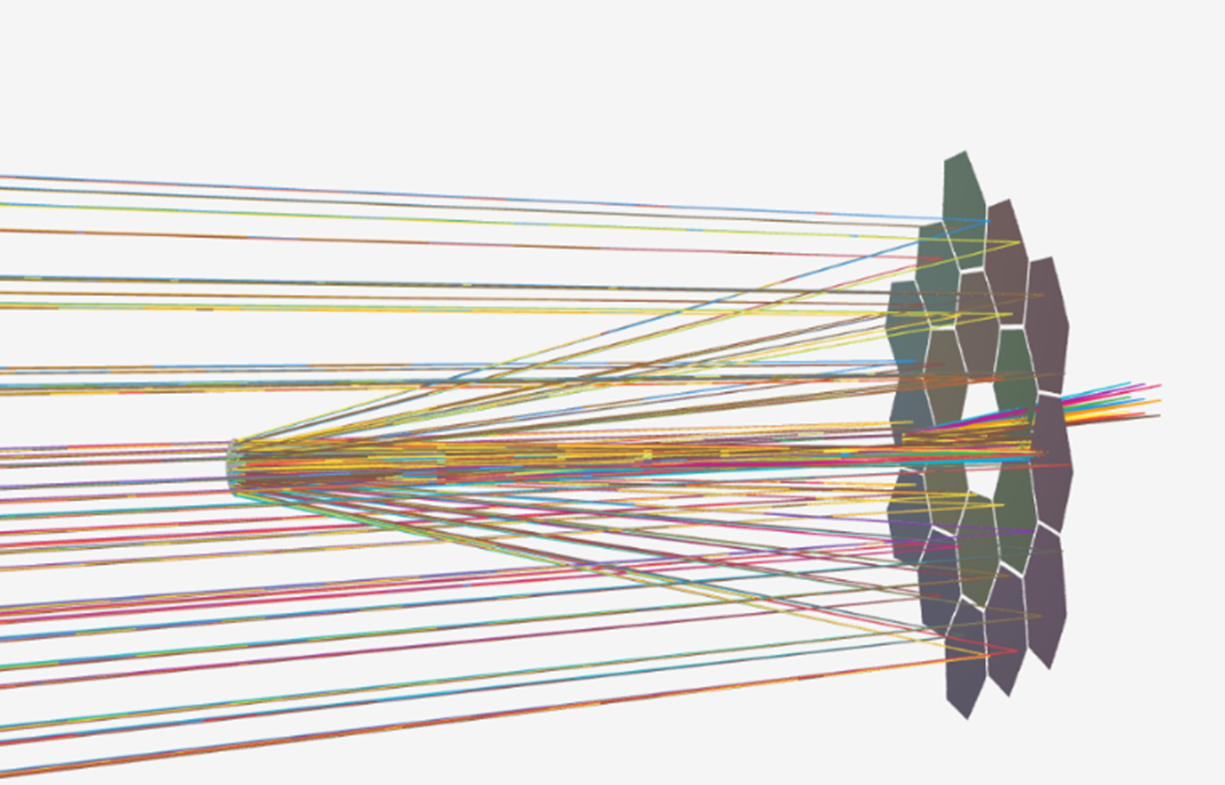
Benchmark : James Webb Space Telescope
Optimization and spot diagram
This case study is inspired by the tutorial “Modeling & Analysis of the James Webb Space Telescope (JWST)” by Samuel Kim, Prof. Saharnaz Baghdadchi, Prof. Nicholas Antipa from the University of California San Diego.
The objective of this benchmark is to reproduce the optimization workflow described in the source material and validate the resulting spot diagram at the image plane against the reference.
Key results: The optimization algorithm produces very good results in 2 minutes, with most spot sizes smaller than the Airy Disk. Agreement with reference metrics is within <1% relative difference throughout the workflow.

System prescription:
The simulated setup is a simplified representation of the James Web Telescope, as per the source material from the University of California San Diego.
A quick overview of the prescription:

And more details about the source and segmented surface:

Simulation results:
Before analyzing the simulated values, an initial visual check confirms that the system is properly configured. This step is important, as the setup was reconstructed by the AI based on screenshots from the reference document.

In the reference material, the operator performs a chief ray solve to tilt the image plane; the corrections applied by both software tools are shown below:
| Decenter Y (mm) | Tilt about X (°) | |
| Etendue | -5.424 | 6.937 |
| Ref software | -3.191 | 6.941 |
| Relative difference | 0.5%[1] | 0.06% |
The TMA analysis gives us the following graph[2]:

a - source : etendue
Which we can compare with the reference:

b – source : ref. software
The initial spot diagrams being much bigger than the Airy disk, we must perform an optimization.
In etendue it can be done by using the “generic optimization” plugin, with the following parameters:

And the following merit function:

In the reference software the workflow is slightly different and involves marking some of the surface properties as variables, which is handled automatically by etendue’s plugin depending on selected options.
After reaching the time budget of 2 minutes, we get the following results:

And let’s look at the TMA maps:
c - source : etendue
 Which we can compare with the reference:
 d – source : ref. software
Conclusion:
Etendue demonstrates simulation and optimization capabilities comparable to the reference software, with negligible deviation.
The workflow in Etendue is fast and easy to set up, largely thanks to the AI assistant, which successfully reconstructed the system from scratch by analyzing screenshots from the source material.

On axis spot diagram after optimization
source: etendue